
Replies to your comments, drafted in your voice, posted only when you say so
Clarify drafts replies to the comments on your Facebook, Instagram, TikTok and Threads pages in your own voice, learned from the speeches, press releases and posts you give it and the community guidelines you set. For a question that needs facts it searches the web first and cites its sources under the draft. Nothing is posted until a person approves it, and a draft can be sent to a colleague to sign off before it goes out.
7-day free trial on every plan · hosted in Australia · cancel anytime
How reply drafting works in Clarify
Teach it your voice
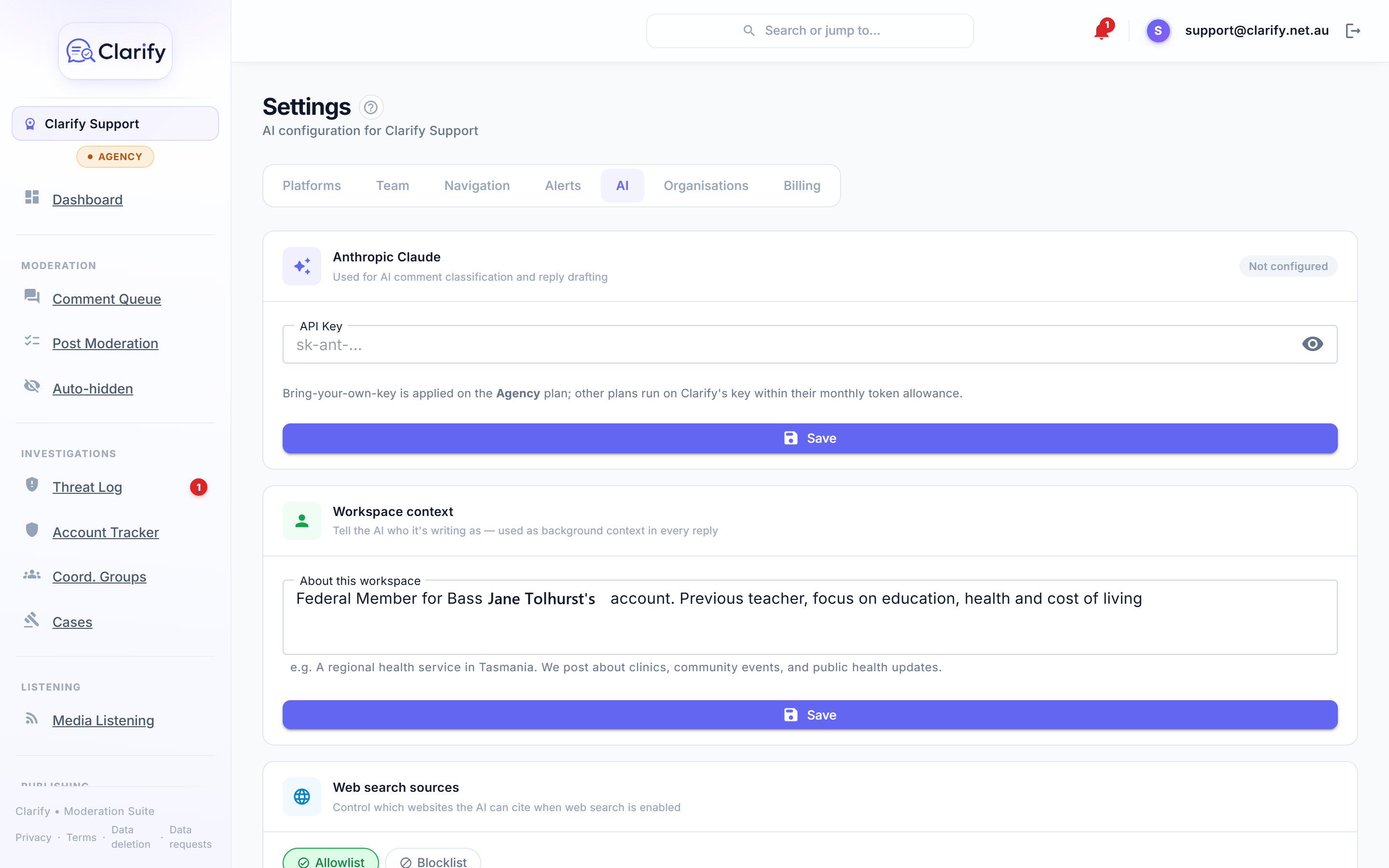
Paste in three or four real examples, a speech, a press release, a post you were proud of, and label each one. Add a few sentences of context about who the page is for, and your community guidelines, which Clarify can draft for you to edit. Every draft leans on these.
Generate a draft
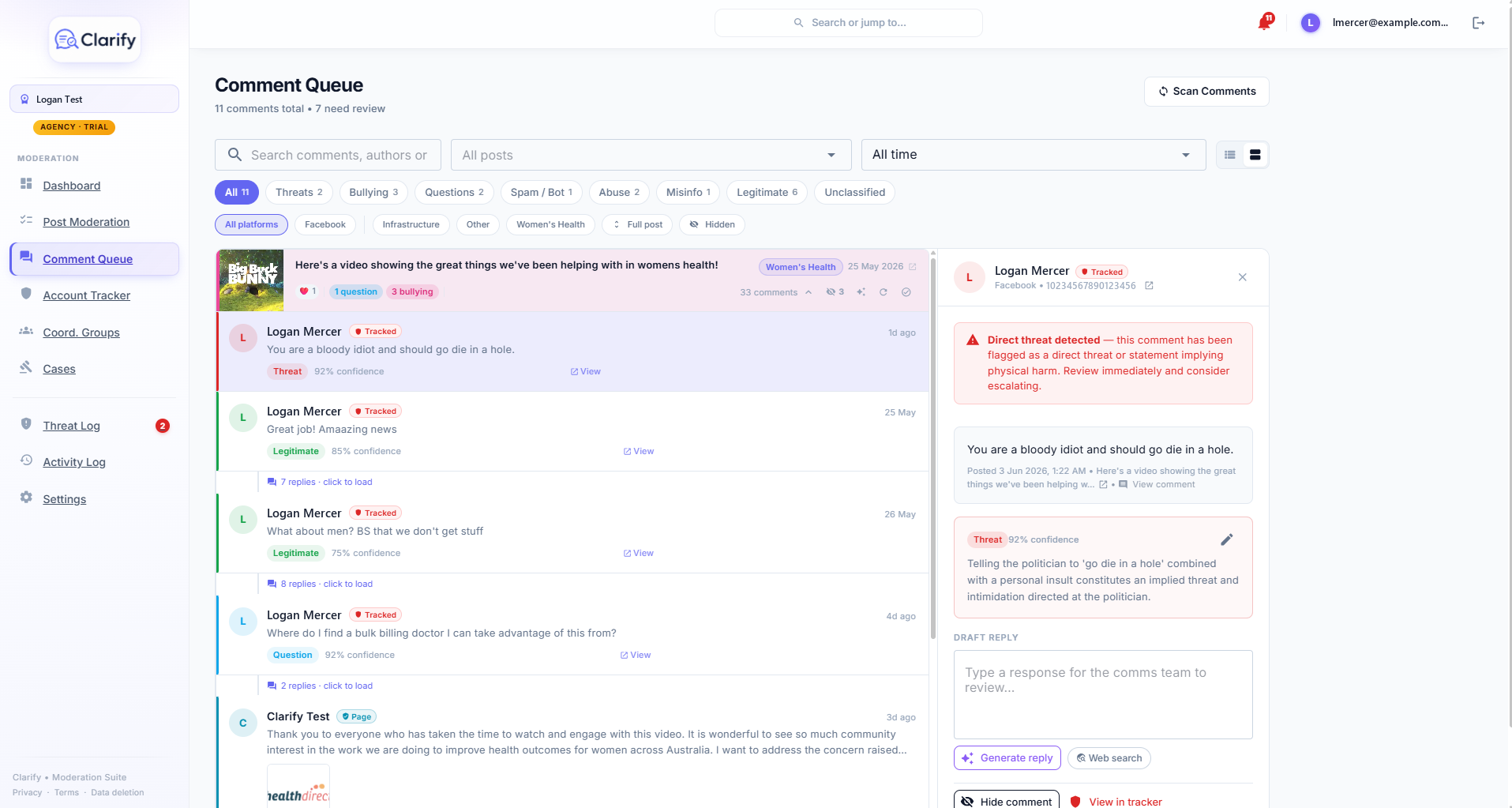
Open any comment and press Generate reply, or type your own. For a question that needs facts, switch on Web search and the draft arrives with its sources listed underneath so you can check them.
A person approves and posts
Edit the draft until it is right, click Approve reply, then Post reply. Not allowed to post yourself, or want a second pair of eyes? Send it to a colleague, who approves it from their review queue. The reply is recorded with the name of the person who posted it.
How does Clarify learn to sound like me?
Four things shape every draft. The page type sets the persona: a politician or public office, a small business, a creator, or a community organisation, which changes what a genuine question looks like and the register the AI writes in. The workspace context is a few sentences about who the page is for and what it cares about. The community guidelines are the standard it moderates and replies against. And the voice examples are your real writing, matched for tone, length and sign-off.
Three or four varied examples make a noticeable difference, and they improve every AI feature in Clarify at once, including the daily brief and post drafts.
What if the answer needs a fact?
Switch on web search before generating and Clarify looks up current information, writes the reply from what it finds, and lists the sources under the draft. It only uses facts it actually found and never invents a link. You decide which sites it may cite: an allowlist of outlets you trust, such as the ABC and your own department's pages, or a blocklist of ones you do not.
Can a junior staffer draft and the boss approve?
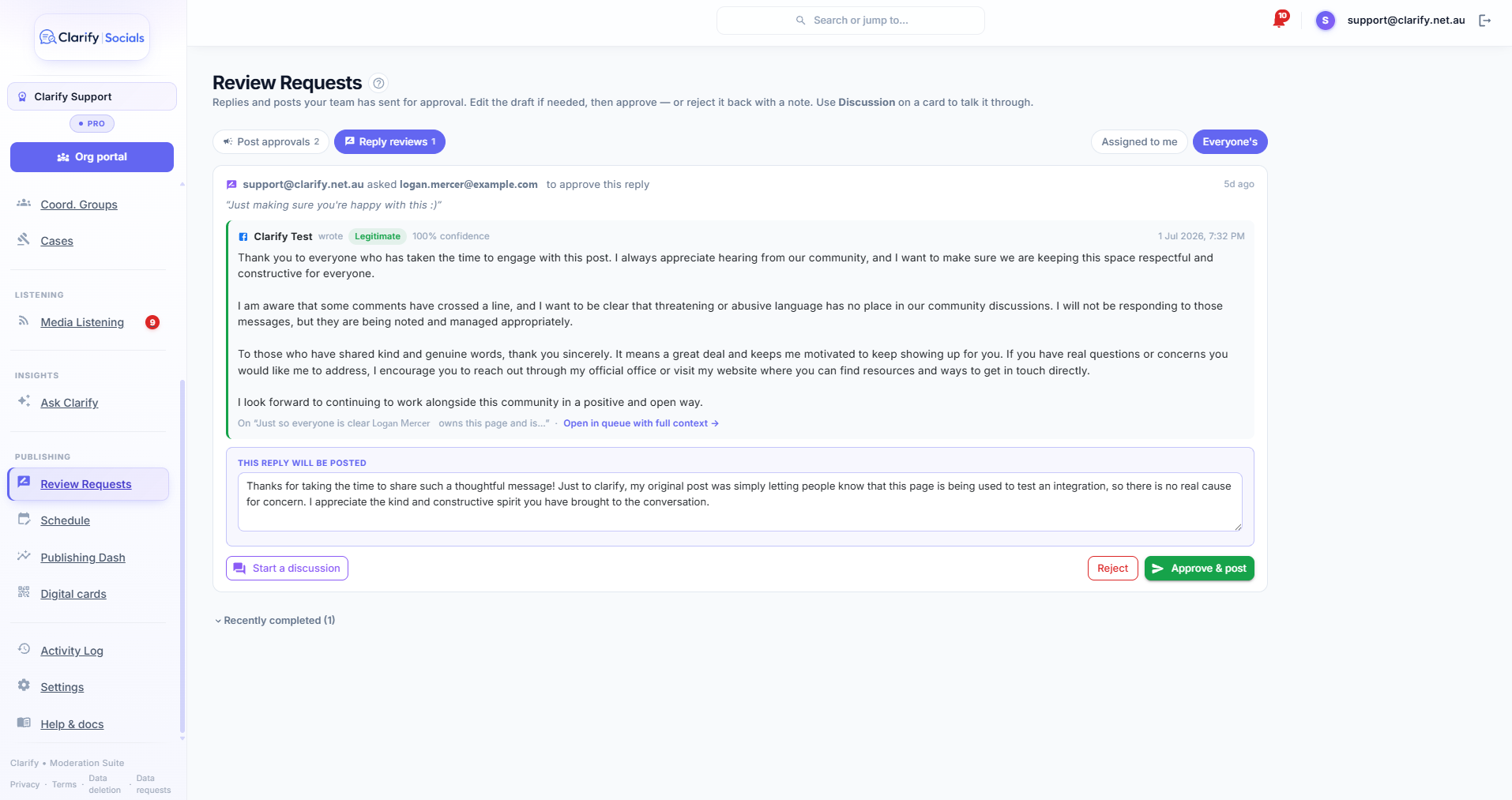
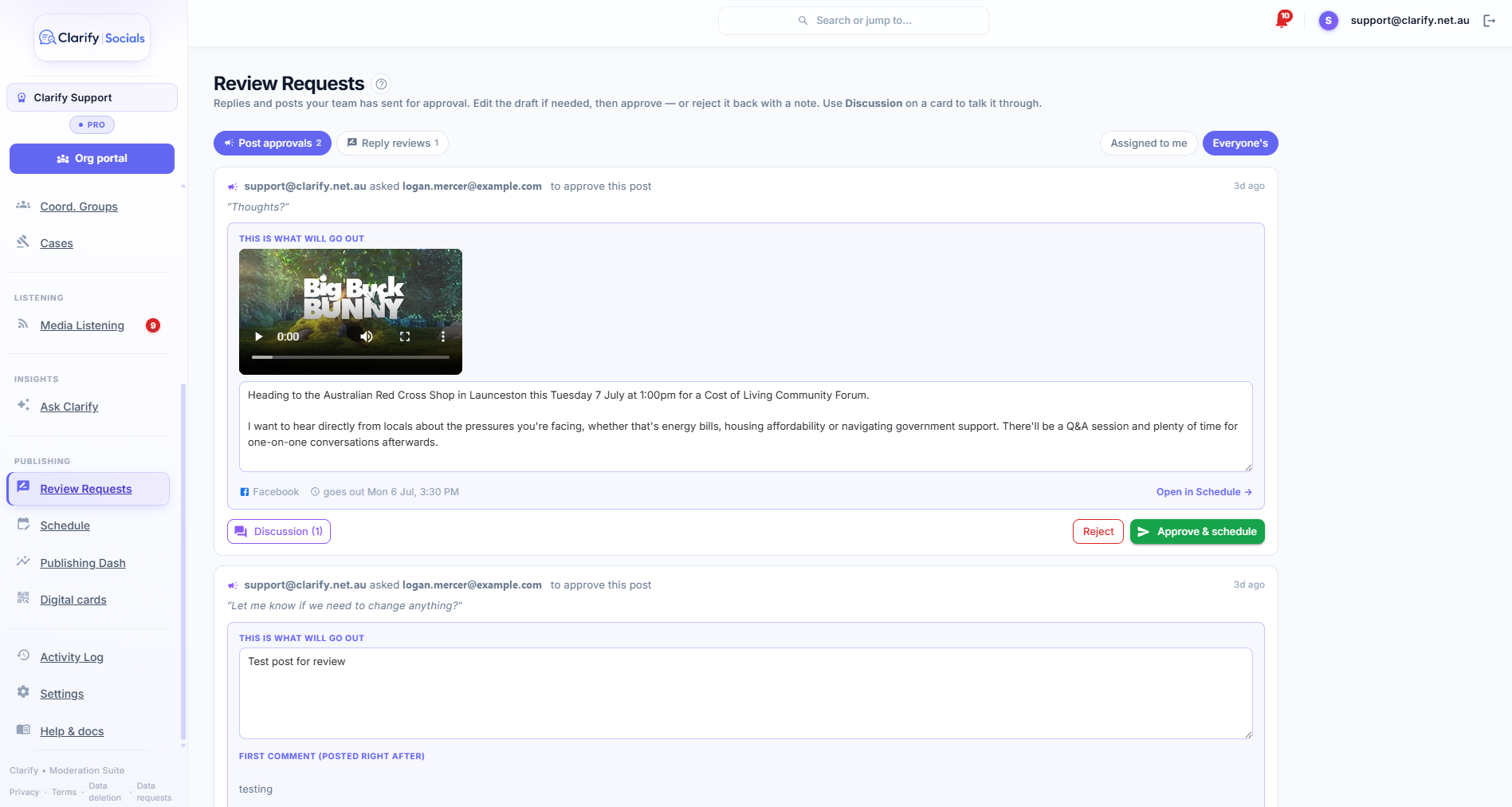
Yes, and that is how most offices run it. Drafting needs no special permission. Posting needs the Post replies permission, so a member without it writes the reply and presses Send for approval. The reviewer sees the original comment and the editable draft on one card, can change the wording in place, talk it through on a thread attached to the request, and approve and post it, or reject it with a note. Every decision lands in the activity log with who made it.
What about a post with fifty of the same question?
Group the stream by post, select the comments that ask the same thing, and use Bulk reply to answer them in one reviewed sweep. The same grouped view is where bulk hiding lives, for the day a post attracts a pile-on instead of questions.
Who uses Clarify to reply
- Electorate and ministerial offices, where constituent questions deserve a real answer even on the worst days.
- Councils and public authorities, answering the same question about bin day or a road closure two hundred times with the correct facts every time.
- Small businesses and community organisations, where one person runs the page and the tone has to stay theirs.
- Any team with a sign-off rule, where nothing goes out in the principal's name without a nod.
Frequently asked questions
Does Clarify post replies automatically?
No. Clarify drafts a reply and a person approves it and posts it, two deliberate steps. A draft can also be sent to a colleague with the Post replies permission to approve from the review queue. Clarify never publishes a reply on its own.
Which platforms can Clarify reply on?
Clarify drafts and posts replies wherever the comment came from: Facebook Pages, Instagram professional accounts, TikTok business accounts and Threads profiles connected to your workspace.
How does Clarify make the reply sound like me?
Clarify writes from the voice examples you paste into its settings, such as speeches, press releases and past posts, plus a few sentences of context about the page and your community guidelines. Three or four varied examples are enough to make a noticeable difference, and you can add as many as you like.
Will it make things up?
Clarify writes from your context and, when web search is on, from facts it actually finds, and it lists the sources under the draft so you can check them. It never invents a link. You always read and edit the draft before it goes anywhere.
Can I control which websites it cites?
Yes. In Clarify's AI settings you choose an allowlist, so only the domains you name can be cited, or a blocklist, so everything except the domains you name is allowed. A typical setup is an allowlist of outlets you trust and your own department's sites.
Who is allowed to approve a reply?
Anyone in the workspace can draft a reply and ask for a review. Approving and posting need the Post replies permission, set per team member in Clarify's team settings. A reviewer without it can still read, edit, discuss and reject, and the card tells them who needs to do the final release.
How much does it cost?
Reply drafting, web search, bulk replies and the approval queue are in every Clarify plan, from A$75 a month with a 7-day free trial. Each plan includes a monthly AI allowance of 2M, 6M or 12M tokens, and the Agency plan can bring its own Anthropic key for unmetered use.
Read how it works, step by step
- Replying to commentsClarify can draft replies for you, but a reply never reaches the platform without two deliberate human steps: approving the draft, then posting it.
- AI settingsSettings > AI is where you shape how the AI reads your community and writes for you. Needs the Edit settings permission.
- Reviews and approvalsSome things deserve a second pair of eyes before they go out in your name. Reviews is Clarify's approval queue: a team member drafts a reply or a post and…
- Hiding comments and bulk actionsHiding a comment on Facebook removes it from public view. They aren't notified, so it rarely provokes a reaction.
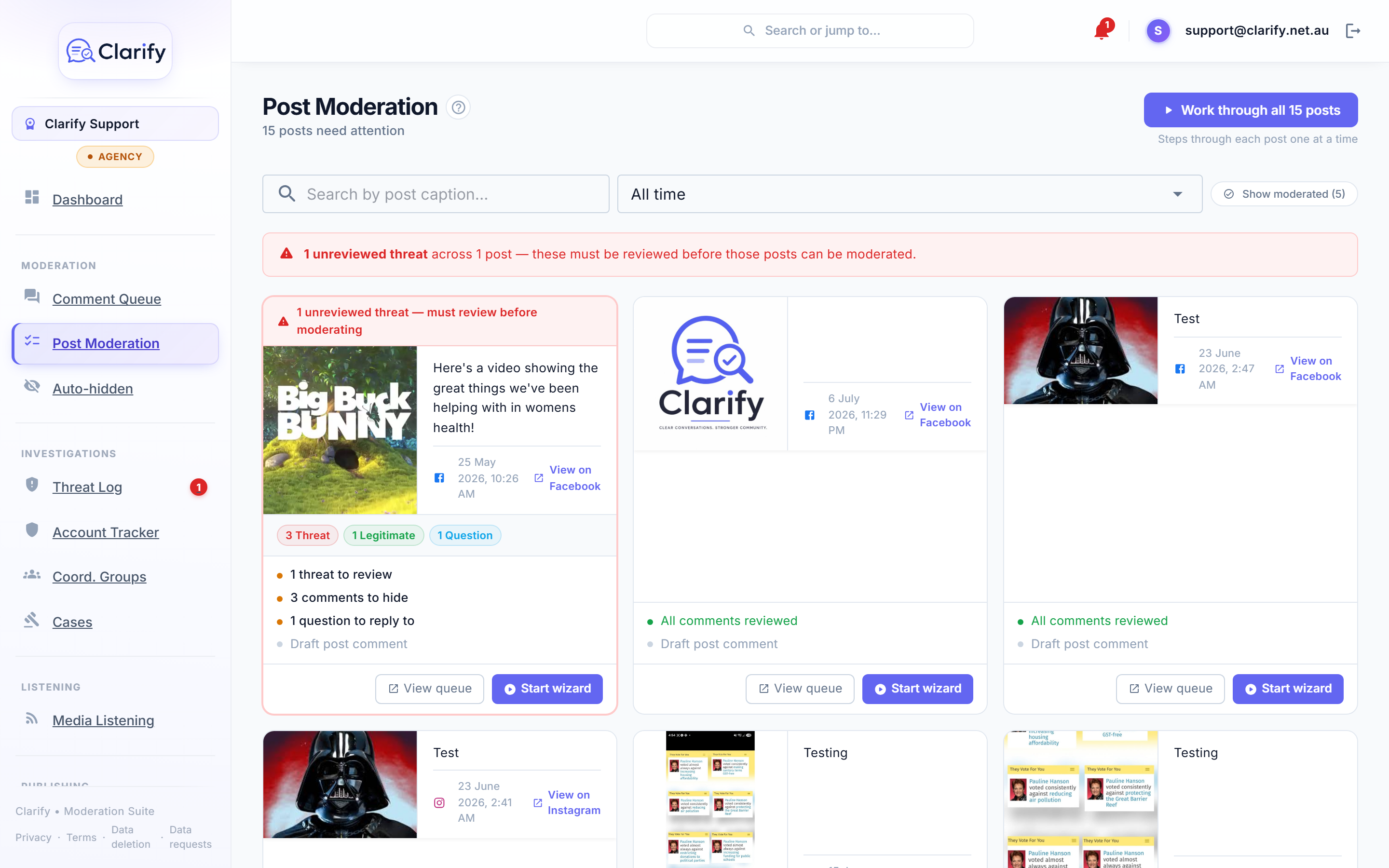
- The Social StreamThe Social Stream is where most moderation happens. Every comment across your connected socials lands here, already sorted into a category by the AI.
Pricing
Reply drafting with web search, bulk replies and the approval queue are in every plan; the AI allowance is 2M, 6M or 12M tokens a month depending on the plan. Prices in Australian dollars; every plan starts with a 7-day free trial, and paying yearly gives two months free.
More from Clarify
- Threat monitoring and reportingClarify watches the comments on your own Facebook, Instagram, TikTok and Threads pages for threats, preserves the evidence, and builds police and eSafety Commissioner-ready reports.
- Comment moderationClarify sorts every comment on your pages as a threat, abuse, spam, misinformation, a question or fine, hides the clear-cut cases if you switch that on, and keeps every decision reversible.
- Media monitoringClarify watches Google News, GDELT and the outlets you add for mentions of you about once an hour, confirms each story is really about you, summarises it and scores its tone.
- Publishing with approvalsClarify schedules posts to Facebook, Instagram, TikTok and Threads from one calendar with your diary beside it, drafts them in your voice, and routes every post through an approval queue.
- MPs and candidatesClarify reads every comment on an MP's or candidate's Facebook, Instagram, TikTok and Threads pages, hides abuse, logs threats for police and drafts replies to constituents that staff approve.
- Councils and community groupsClarify sorts the comments on a council's social pages, drafts replies to residents' questions in the council's voice for staff to approve, and keeps abuse and threats out of the feed.
- Small businessClarify reads and sorts the comments on a small business's pages, drafts replies in the owner's voice, hides scams and spam, and schedules posts to every platform from one calendar.
- Sporting clubs, parties and peak bodiesClarify HQ lets a club, party or peak body see when one account is targeting several of its members across their own pages, and work referred cases together. Free for organisations.
- AthletesClarify reads an athlete's comments before they do, hides abuse the moment it lands, logs threats with evidence, and puts a kind word from a real supporter in every morning brief.
- Creators and influencersClarify sorts a creator's Instagram, TikTok, Threads and Facebook comments, hides spam and abuse, mutes fake accounts, logs threats, and drafts replies to real questions in the creator's voice.
- Everything Clarify does, on one pageClarify monitors the comments on your Facebook, Instagram, TikTok and Threads pages for threats, abuse and bot campaigns, and drafts replies your team approves. Australian-hosted, from A$75 a month.