
AI settings
Settings > AI is where you shape how the AI reads your community and writes for you. Needs the Edit settings permission.
Page type
Pick what kind of page this is: Politician or public office, Small business, Creator or influencer, or Community organisation. This sets the persona the AI works from: who counts as the page owner when it judges a threat, what a genuine question looks like (a constituent request, a customer enquiry, a fan asking where to buy), and the voice it drafts replies and briefs in. You choose it on the first onboarding screen and can change it here at any time; the change applies from the next sync.
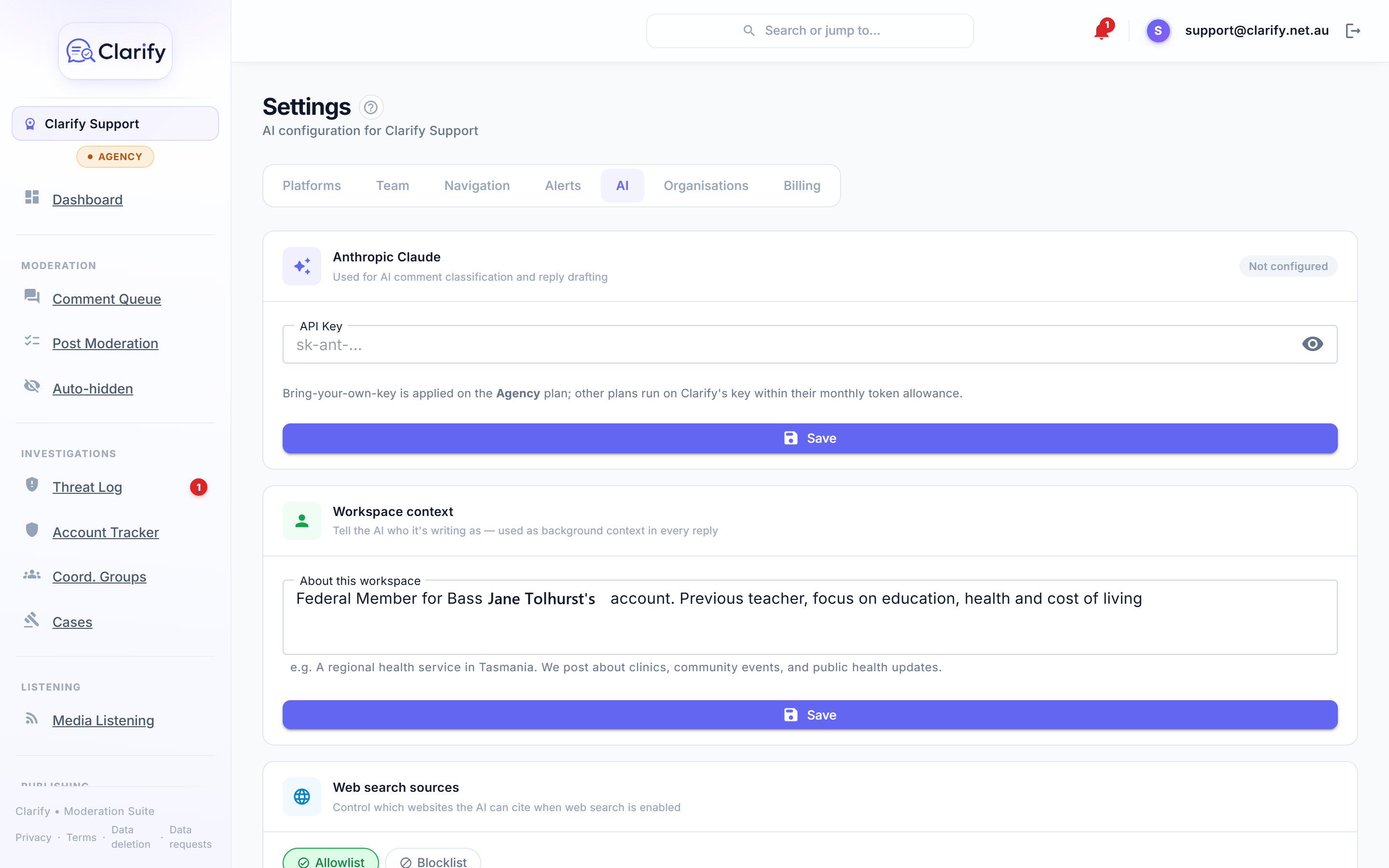
Workspace context
A few sentences about who the AI is working for, used as background in every classification and reply. For example: "Bass federal MP in Tasmania. Focus on local infrastructure, health, and community issues." or "Family-run bakery in Launceston. We post about new lines, markets, and opening hours." Specifics help: the AI classifies a comment about a local road project differently when it knows roads are your patch.
Community guidelines
Your page's published rules. The AI uses them when judging comments and drafting replies. Click Generate with AI to draft a set from your workspace context, edit, and Save. We recommend also publishing them as a pinned post on your Facebook Page so the standard you moderate against is public.
Voice examples
Paste in speeches, press releases, or social posts and the AI matches your writing style when drafting replies. Label each one (such as "Budget speech" or "Facebook post") and add as many as you like. Three or four varied examples make a noticeable difference.
Web search sources
When a reply uses web search, you control which sites it may cite:
- Allowlist mode: only the domains you list can be cited (leave the list empty to allow any source).
- Blocklist mode: everything is allowed except the domains you list.
A typical setup is an allowlist of outlets you trust, for example abc.net.au and your own department's sites.
AI usage
This card shows your token consumption for the current month against your plan's allowance, broken down by operation (classification, image classification, post categorisation, reply drafting, guidelines generation). The historical import that runs when you connect a page is listed but marked not counted: it never comes out of your allowance. Cached prompt text, which the AI re-reads on every classification, is counted at a tenth. You'll see a warning at 80% and AI operations pause if the limit is reached, resuming at the start of the next month. Page syncing itself keeps working; only the AI steps wait.
Bring your own key (Agency plan)
Agency workspaces can enter their own Anthropic API key. AI usage then bills directly to your Anthropic account and Clarify's monthly token allowance no longer applies. On other plans Clarify's key is used within the plan allowance.
Still stuck? Contact support · Suggest a feature