
Coordination Groups
Sometimes abuse isn't a collection of individuals; it's a campaign. Coordination Groups is where Clarify identifies clusters of accounts acting together: bot farms, brigading rings, and organised harassment.
How groups are found
Two things work together. On every scan, Clarify's own checks look for hard evidence across recent comments: the same text from different accounts, several flagged accounts hitting one post within minutes, a burst of accounts Clarify had never seen before all arriving on the same post, the same obscure link pushed by a few accounts, and the same username on two platforms. Each finding is a receipt. Then the AI weighs those receipts, together with what the comments say, and proposes groups.
Suggestions arrive on their own after a scan that turns up enough new evidence, or when you click Run AI Analysis. Either way they are only suggestions: nothing changes until you apply one.
Reviewing a suggestion
Each card shows who suggested it (AI suggested, or From Clarify's checks when the evidence alone was strong enough), the proposed members, a strength pill, and the receipts. Open a receipt to see the actual post and the comments behind it, with the gap between each comment and a link to open any of them in the comment queue. That is the evidence; judge it, not the summary.
- Apply creates the group, or adds the accounts to an existing group when the card says it will.
- Edit lets you rename the group, pick a type, and untick anyone who doesn't belong before applying.
- Dismiss rejects the suggestion.
A card marked Narrative only means Clarify's checks found nothing concrete linking the accounts; the AI thinks they share a script. Treat those with more caution.
Inside a group
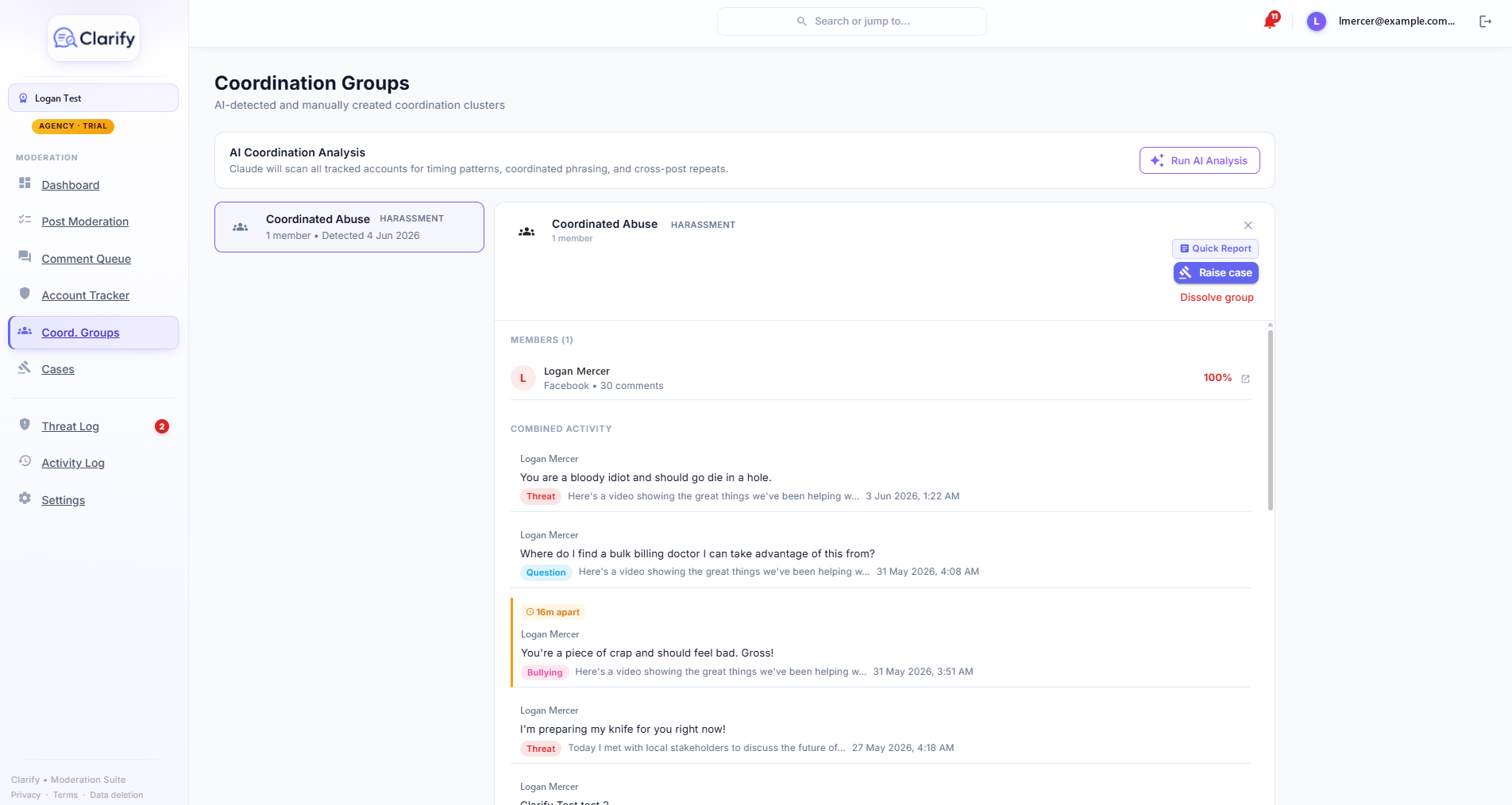
Open a group to see:
- What connects them, the receipts between the members, each opening to the comments behind it.
- Members, each with a suspicion score and their comment history on your Page.
- Suspected coordinator, when the analysis identifies an account that appears to be directing the others, with its reasoning.
- Combined activity, the group's comments interleaved on one timeline. Comments posted within 30 minutes of each other are badged, which makes coordinated waves easy to see. Tick Only comments in the receipts to narrow it to the evidence.
The group report
Click Quick Report to generate a formal, printable dossier: summary, what connects the members (every receipt with its comments), member profiles with scores and signals, and the combined comment timeline. Use Print / Save PDF to produce a file suitable for handing to a platform, the eSafety Commissioner, or police. The report is timestamped and marked confidential.
Escalating and tidying up
- Raise case opens a case for the whole group on the case board (harassment groups default to High priority).
- Dissolve group removes the grouping if it turns out to be a false positive. The accounts stay tracked individually in the Account Tracker.
Still stuck? Contact support · Suggest a feature