
Alerts and the post re-open policy
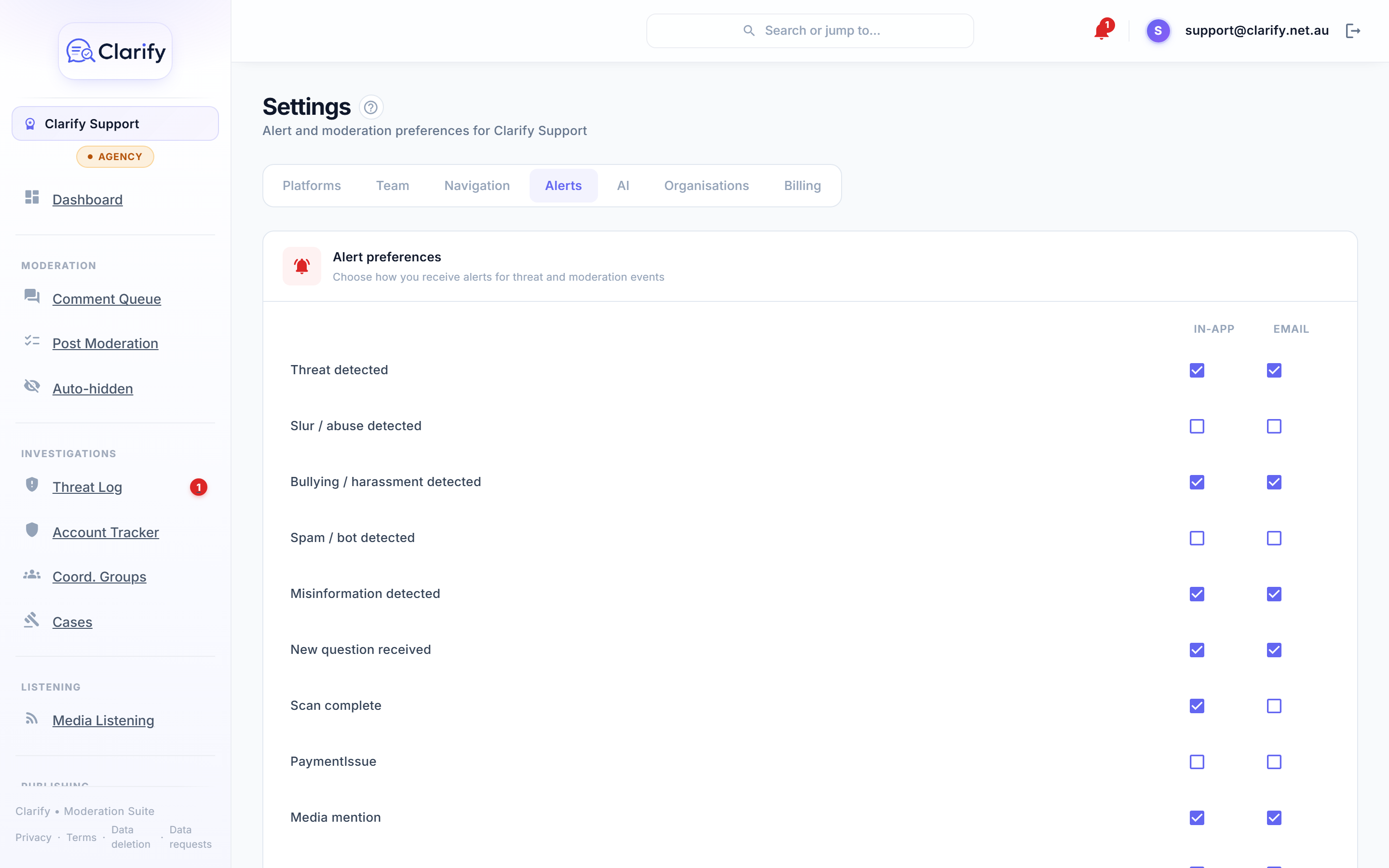
Alert preferences
In Settings > Alerts you choose how you personally hear about events. Each alert type has two toggles: In-app (the bell at the top of the screen) and Email. The list includes:
- Threat detected
- Bullying / harassment detected
- Slur / abuse detected
- Spam / bot detected
- Misinformation detected
- New question received
- Scan complete
- Media mention (Pro and Agency)
- Page needs reconnecting
- Coordinated activity suggestions
- A teammate asks you to review a comment or post
- Your review request is answered
- A message on one of your reviews
- A scheduled post fails to publish
- Organisation replies and escalation updates (where your workspace is connected to one)
- Weekly digest email: a Monday morning summary of the week, with the trend against last week, a positive comment of the week, one thing to improve, accounts to keep an eye on, and a call-out if anyone made threats and no case is open yet
Sensible defaults are set for new users: serious alerts (threats, bullying, questions, misinformation) arrive by email, and so do review requests and review messages. A directed ask that nobody sees defeats the point. Noisier ones (spam, abuse) start off. Tune to taste and click Save preferences. These are per-person settings, so the duty press officer can take email alerts while everyone else just sees the bell.
The notification bell
The bell in the top bar shows your unread count and the latest alerts. Click a notification to jump straight to the thing it's about. Clear all marks everything read.
Post re-open policy
Also in Settings > Alerts. When a post you've already moderated receives a new comment, this policy decides whether the post returns to the active queue. Tick the categories that should reopen a post:
- Threat
- Bullying / harassment
- Slur / abuse
- Misinformation
- Spam / bot
- Question
Most teams reopen on threats and questions but leave spam unticked: you want to know about a new threat on an old post, but not re-review a post because a bot dropped a link. Leave everything unticked and posts never reopen automatically. Click Save policy to apply. This one is a workspace-wide setting and needs the Edit settings permission.
Auto-hide
The same page has an Auto-hide comments card, where you can choose categories that should be hidden automatically, and reversibly, as they're found. It's off by default. See Auto-hiding comments for how it works and the review queue that backs it.
Still stuck? Contact support · Suggest a feature