
What is Clarify?
Clarify helps the team behind a public figure's Facebook Page stay on top of comments at scale. It reads every comment on your connected Page, sorts the harmful ones from the healthy ones, and gives your team one place to review, respond, and keep records.
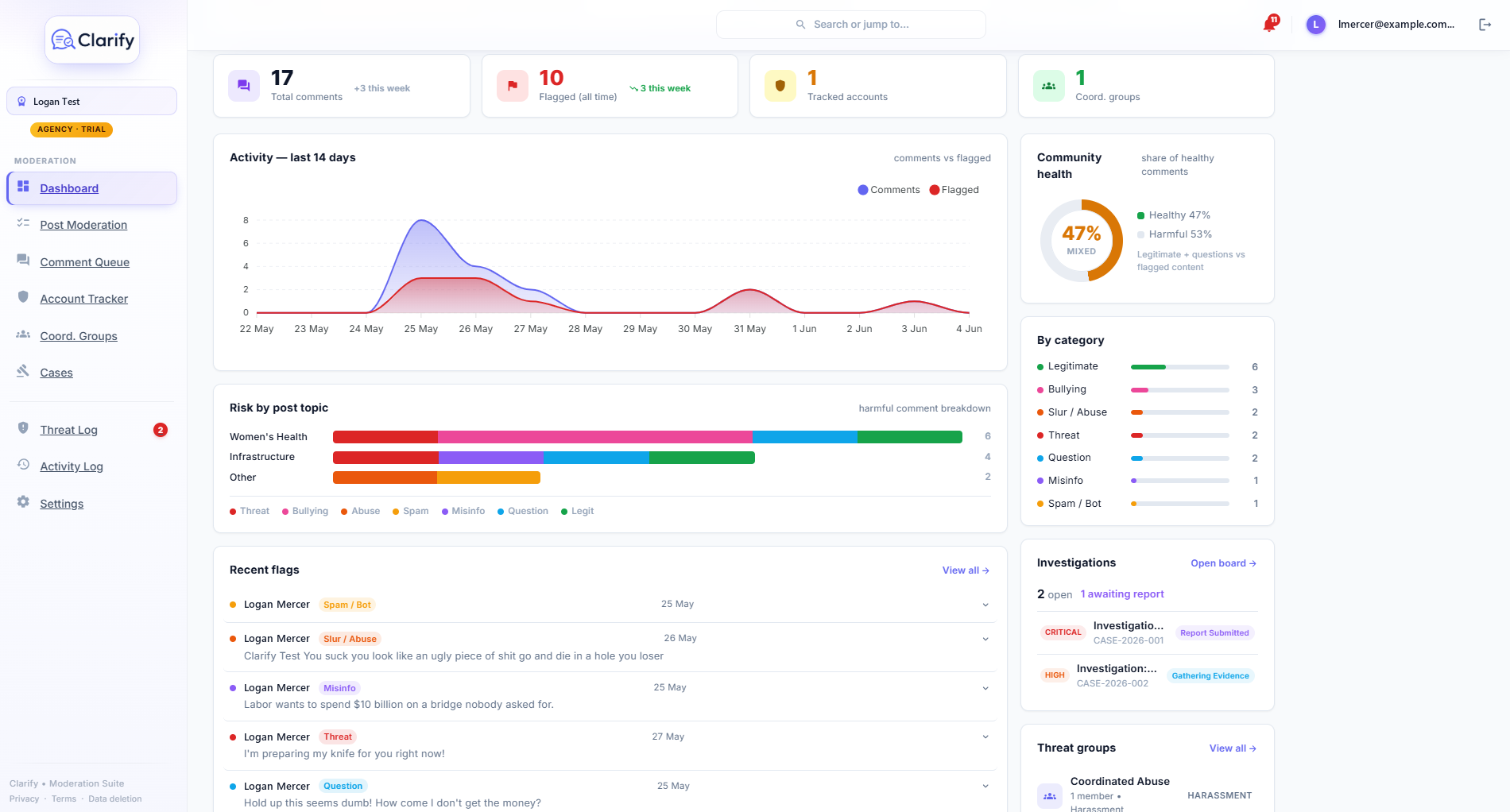
What Clarify does
- Sorts every comment. Each comment is automatically categorised as a threat, bullying or harassment, slurs or abuse, spam or bot activity, misinformation, a genuine question, or a legitimate comment.
- Surfaces what matters first. Threats and questions rise to the top so your team spends time where it counts.
- Drafts replies in your voice. The AI can suggest a reply to any comment, using your workspace context, community guidelines, and writing samples. Nothing is ever sent without a person approving it.
- Tracks repeat offenders. Accounts that keep causing trouble can be flagged and watched over time, and Clarify can spot groups of accounts acting together.
- Builds evidence. Cases let you collect comments, accounts, and reports in one place, ready for escalation to platforms, police, or the eSafety Commissioner if it comes to that.
- Publishes and schedules posts. Compose a post and schedule it across your connected accounts from one calendar, with a Publishing Dash that shows how each one landed. Posts are always written and approved by a person.
- Shares digital cards. On the Pro and Agency plans, build a public link hub (a digital business card) for your team, with your social links and contact details.
- Listens to the news. On the Pro and Agency plans, Clarify watches Google News and any feeds you add for mentions of you, then summarises each one and scores its tone.
What Clarify never does
Clarify never takes action on Facebook by itself. Hiding a comment or posting a reply always requires a person to click the button. The AI suggests; your team decides.
Where to start
- Create your account and sign in at clarify.net.au
- Run through the setup wizard
- Connect your Facebook Page in Settings > Platforms
Once your Page is connected, Clarify runs its first scan automatically and your dashboard comes to life.
Was this page helpful?
Thanks for the feedback!
Still stuck? Contact support · Suggest a feature