
AI post drafts
Clarify can write a first draft of a post for you, in your account's voice, ready for you to check, tweak and schedule. It never posts anything on its own: a draft always waits for a person to approve and schedule it. AI drafting is a Pro feature, and is included during your free trial.
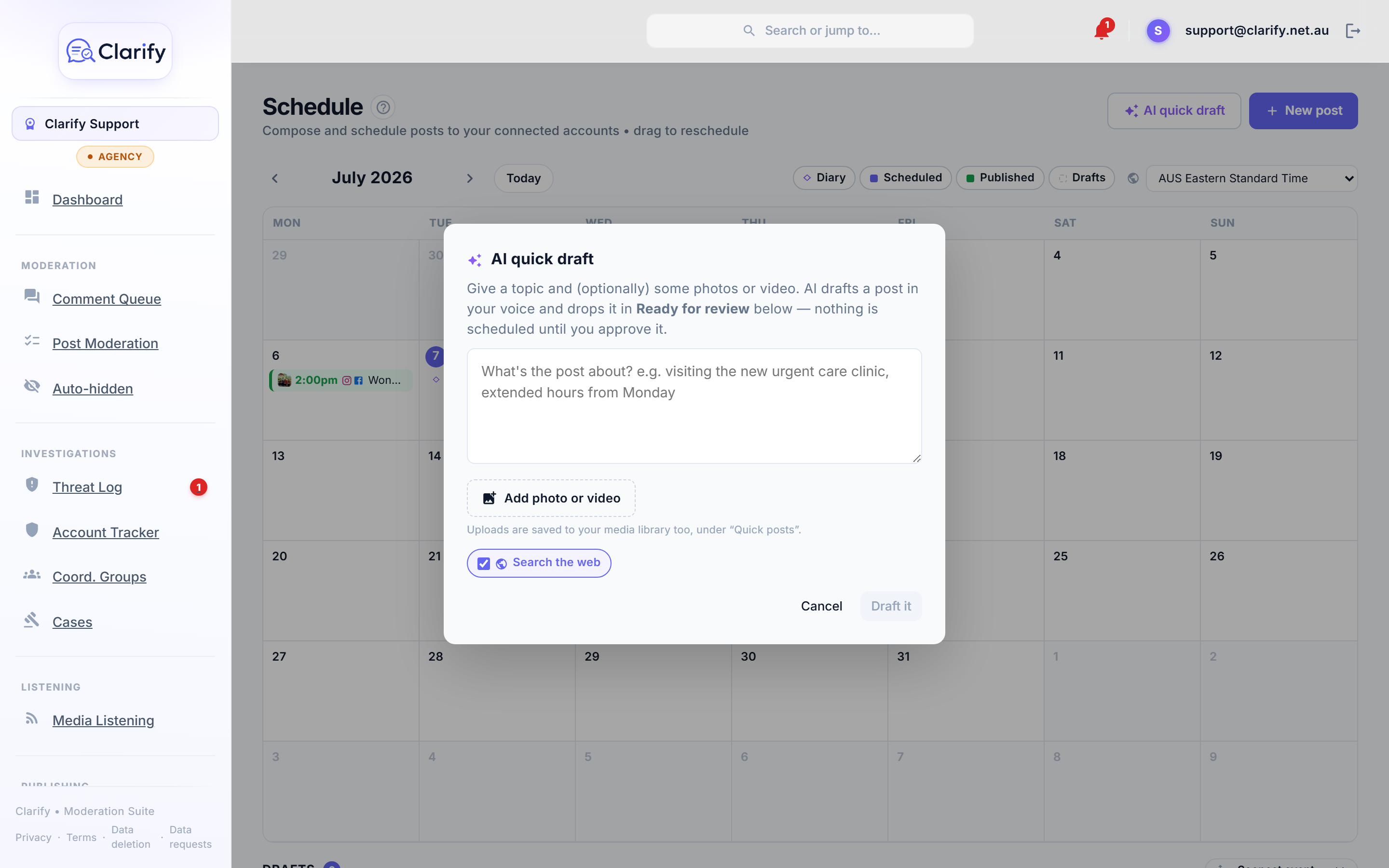
Two ways to start a draft
From a diary event. Open an event on your Schedule and press Draft post. Clarify writes a draft from the event details, any notes your team added, and the event's photos and video. See Your diary calendar.
A quick draft about anything. Press AI quick draft on the Schedule page, type what the post is about, for example "visiting the new urgent care clinic, extended hours from Monday", add any photos or video, and press Draft it. No calendar needed.
Either way, the finished draft appears in Ready for review below the calendar.
In your voice
Drafts are written to sound like you, using the writing samples on your AI settings page. The more real speeches, posts and press releases you add there, the closer the drafts sound to your voice, and it improves every AI feature in Clarify at the same time.
Search the web
Both draft tools have a Search the web option, on by default. With it on, Clarify checks the facts before writing, so figures, dates and program details are grounded in real information rather than guessed. You can turn it off for a faster draft. Clarify only uses facts it actually finds, and will never invent a web link.
The review queue
Drafts are grouped below the calendar:
- Ready for review, the AI drafts waiting for a person, ordered by when their event is on.
- In progress, drafts someone is still working on.
Use the sort control to order them by soonest event, most recently updated, newest, or event name. Each draft shows its photo, the linked event, which accounts it will go to, and how long ago it was touched. Open one to read it, edit anything you like, then schedule it as normal.
What it will and won't do
- It uses only what you give it: the event, your notes, and your topic. It will not invent names, numbers, quotes or events.
- If the information is thin, it writes a shorter, safe post rather than padding it out.
- It suggests a first comment when there is something concrete worth adding, and avoids empty "click here for more info" filler.
- Media you added to the event or quick draft is attached to the post automatically.
Always your call
Every draft is exactly that, a draft. Nothing is scheduled or published until you open it, are happy with it, choose the accounts and the time, and press schedule yourself.
Still stuck? Contact support · Suggest a feature