
The Account Tracker
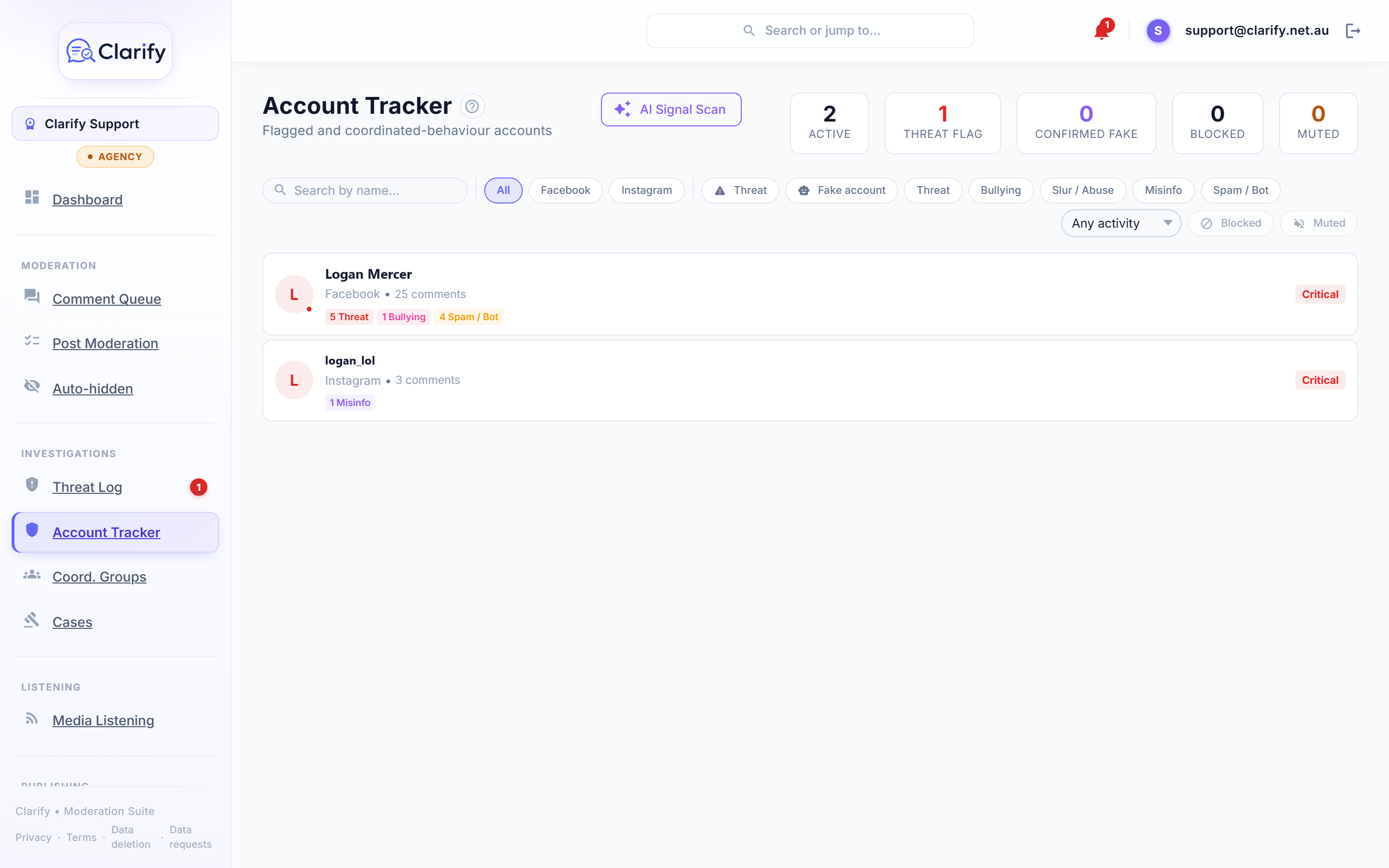
The Account Tracker is your watch list: accounts that have been flagged for threats, repeated abuse, suspected fakery, or coordinated behaviour. It builds the history that turns "this person seems off" into documented evidence.
Getting accounts onto the list
- From a comment. Open any comment in the Social Stream and click Flag account.
- Automatically. Accounts that make threats are tracked as part of the threat workflow.
What you see per account
Click an account to open its profile: every comment it has made on your Page, its classification history, flags (threat, confirmed fake, blocked), behaviour signals, notes from your team, and any cases it's attached to.
Finding accounts
Search by name, or filter by platform, by flag (Threat, Fake account, Blocked), by behaviour category, or by recent activity (last 7, 30, or 90 days).
AI Signal Scan
Click AI Signal Scan and Clarify analyses your tracked accounts for bot-like behaviour patterns:
- Burst posting. Many comments in a suspiciously short window.
- Similar phrasing. Near-identical wording across accounts.
- Cross-post repeat. The same message dropped on many posts.
Each suggestion comes with the AI's reasoning. Click Apply to add the signal to the account's record or Dismiss to reject it. Nothing is recorded without your say-so. Apply All accepts the lot.
Quietening an account
For a persistent nuisance who doesn't warrant a case, the account profile has a Mute control: hide their new comments for a day, a week, a month, or indefinitely, on any platform. See Muting a commenter. The Block button beside it is Facebook's own, heavier block.
From tracking to action
An account's profile is the launching point for escalation: raise a case, or see whether the account belongs to a coordination group. Accounts marked for eSafety reporting are surfaced on the dashboard so they don't get forgotten.
Still stuck? Contact support · Suggest a feature