
Media Listening
Your team already watches your own Page all day. Media Listening watches the rest of the internet for you, so a story about you in the news does not slip past. It is available on the Pro and Agency plans. Anyone in the workspace can read the mentions; changing the settings needs the Edit settings permission.
How it works
Clarify checks your sources about once an hour. For anything that mentions one of your watch terms, the AI confirms it is really about you (not just someone with the same name), writes a one-line summary, and scores its tone as positive, neutral, negative, or mixed. New mentions appear on the page, and you can be alerted by notification and email.
Setting it up
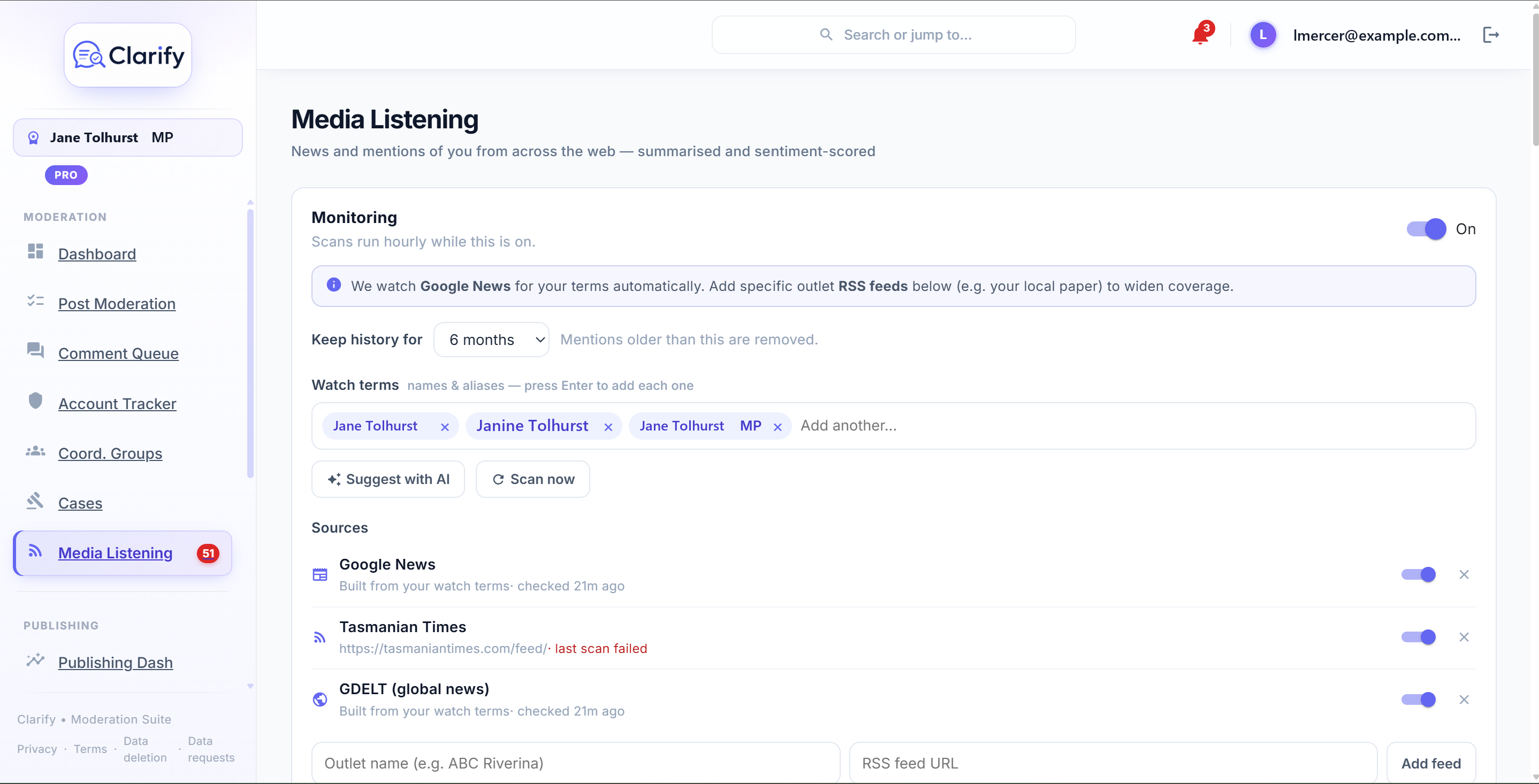
- Turn Monitoring on.
- Add your watch terms: your name and the common ways you are referred to in the press, for example "Jane Smith", "Jane Smith MP", and "Member for Riverina". Type each one and press Enter. Click Suggest with AI to have Clarify propose terms from your connected Page and workspace description. It will also suggest a few relevant outlet feeds and add the ones that work, so you may see new sources appear too. Add or remove anything you like.
- Optionally add sources. Clarify watches Google News for your terms automatically. To widen coverage, add the RSS feed of a specific outlet, such as your local paper.
Use Scan now to run a check straight away rather than waiting for the next hourly scan.
Reading mentions
Each mention shows its tone, headline, source, and a short summary, with the term that matched. Click the headline to open the article. You can:
- Filter by tone (All, Positive, Negative).
- Search your mentions by keyword.
- Mark read, or Mark all read.
- Dismiss a mention you do not care about. It will not come back on the next scan. To see dismissed items, use the Dismissed filter, where you can Restore any of them.
The short summary is based on the headline. For a closer look, press Summarise article on a mention: Clarify reads the whole article and writes a few sentences on how you are actually mentioned in it, including the tone toward you. This is a manual, on-demand check, so it only runs when you ask. Some articles that are paywalled or block automated access cannot be read; you will see a short message with a link to open the article yourself if that happens.
Unread mentions also appear as a badge on the Media Listening menu item and in your dashboard's action centre.
Keeping history tidy
The Keep history for setting controls how far back mentions are kept (1, 3, 6, or 12 months). Older mentions are removed automatically, so the list stays focused on what is recent.
A note on coverage
Media Listening covers news and outlet feeds. It cannot watch Facebook or Instagram for general mentions of you, because those platforms do not offer that to apps; for your own Pages, the comment tools elsewhere in Clarify already have you covered. More sources, like other social platforms, may be added over time.
Still stuck? Contact support · Suggest a feature