
Your dashboard at a glance
The dashboard is your morning briefing: what came in overnight, what needs attention, and the overall temperature of your community.
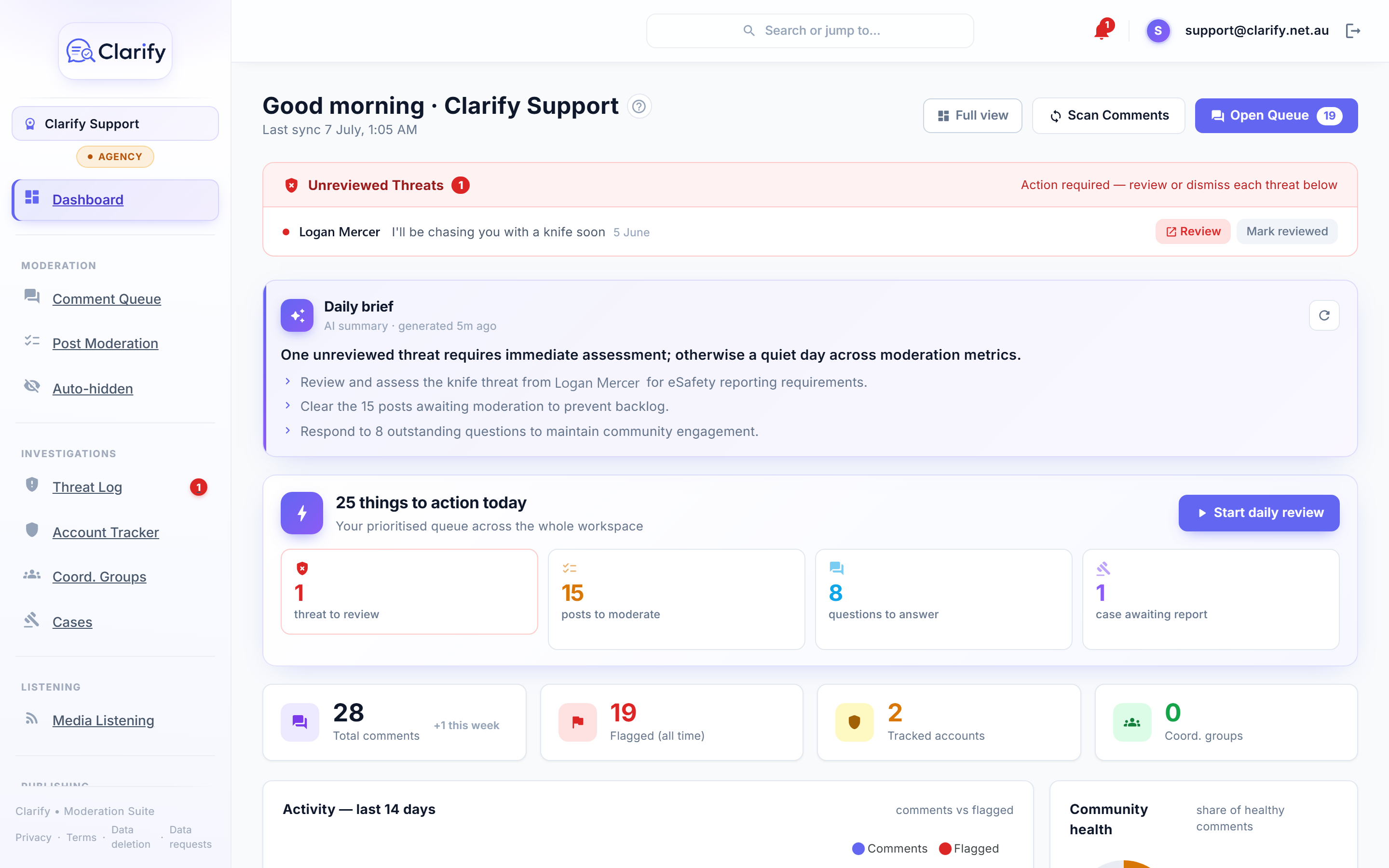
The daily brief
The Daily brief card is an AI summary of what to prioritise today: a headline, a short list of priorities, and, when there's one worth sharing, a "bright spot", a genuinely positive comment from your community. A lot of this work is heavy; the bright spot is there on purpose. Click the refresh icon to regenerate the brief at any time.
Action centre and stats
Cards across the top show the things waiting on you: unreviewed threats, posts to moderate, questions to answer, cases awaiting a report, coordination suggestions to review, and, on the Pro and Agency plans, unread media mentions. Below them, stat cards track total comments, all-time flags, tracked accounts, and coordination groups.
Latest mentions
On the Pro and Agency plans, once Media Listening finds news about you, a Latest mentions card shows the most recent few, each with its tone and source. Click one to open the article, or View all to go to the full Media Listening page. The card only appears when there are mentions, and it is hidden in Simple view.
Charts
- Activity. Comments versus flagged comments over a range you pick: 7, 14, 30 or 90 days (14 by default). Counts are tallied by the day each comment was written, in your workspace's timezone.
- Risk by post topic. Which topics attract the most harmful comments, broken down by category. Useful for knowing what to expect before a post goes out.
- Community health. The share of healthy comments versus harmful ones, summarised as Healthy, Mixed, or Hostile.
Recent flags
The five most recent flagged comments, newest first. Click a row to expand it and see the full comment, the AI's confidence, and its reasoning, then use View in stream to act on it in the Social Stream.
Scanning on demand
Clarify scans your Page automatically on a schedule, but you can trigger one any time with Scan Comments. The scan runs in the background: the button locks while it's working, and you'll get a notification when it finishes.
Simple view
If the full dashboard is more than you need, the Simple view toggle reduces it to the essentials. Your choice is remembered.
Still stuck? Contact support · Suggest a feature