
Post Moderation
Post Moderation gives you a post-by-post way to clear your backlog, instead of wading through one giant list of comments. The goal is to get every post to "moderated": meaning someone has looked at its comments and dealt with what needed dealing with.
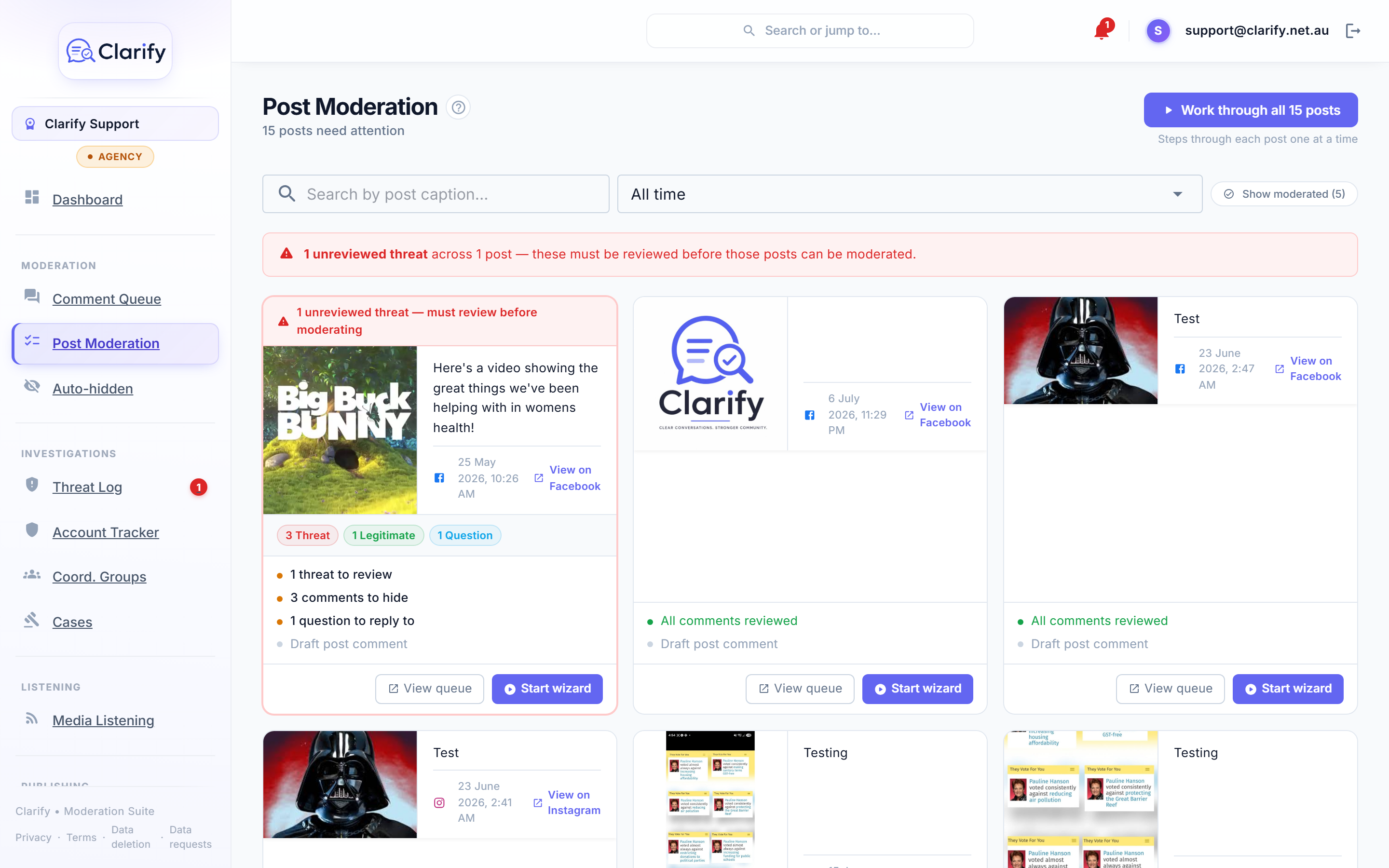
The post board
Each card is one Facebook post, showing how many of its comments need review and how many threats it has. Posts with threats sort to the top. Search by caption or filter by date, and use Show moderated to include posts you've already finished.
Reviewing a single post
- Click Start reviewing on a post card.
- The review wizard shows the post, its comment breakdown by category, any threats, and any unanswered questions.
- Deal with what needs attention, then click Mark moderated.
Working through everything
Click Work through all posts in the header and the wizard steps you through each unmoderated post one at a time, advancing automatically as you mark each one moderated. This is the fastest way to clear a backlog after a busy weekend.
Threats block moderation
A post with unreviewed threats can't be marked moderated. Review the threats first (in the Social Stream or the Threat Log) and the post unblocks. This is deliberate: a threat should never be buried by a bulk tidy-up.
Posts can reopen themselves
If a moderated post receives a new comment of a type you care about, Clarify can automatically return it to the active queue. You choose which categories trigger this in Settings > Alerts under Post re-open policy. For example, most teams reopen posts on new threats but not on new spam.
Still stuck? Contact support · Suggest a feature