
The Publishing Dash
The Publishing Dash shows how your posts land: what you have published and scheduled, how reliably it went out, and the engagement it pulled. It draws on every post Clarify has synced from your connected accounts, not only the ones you sent through Clarify, so it reflects your whole presence. You need the Publish posts permission to see it.
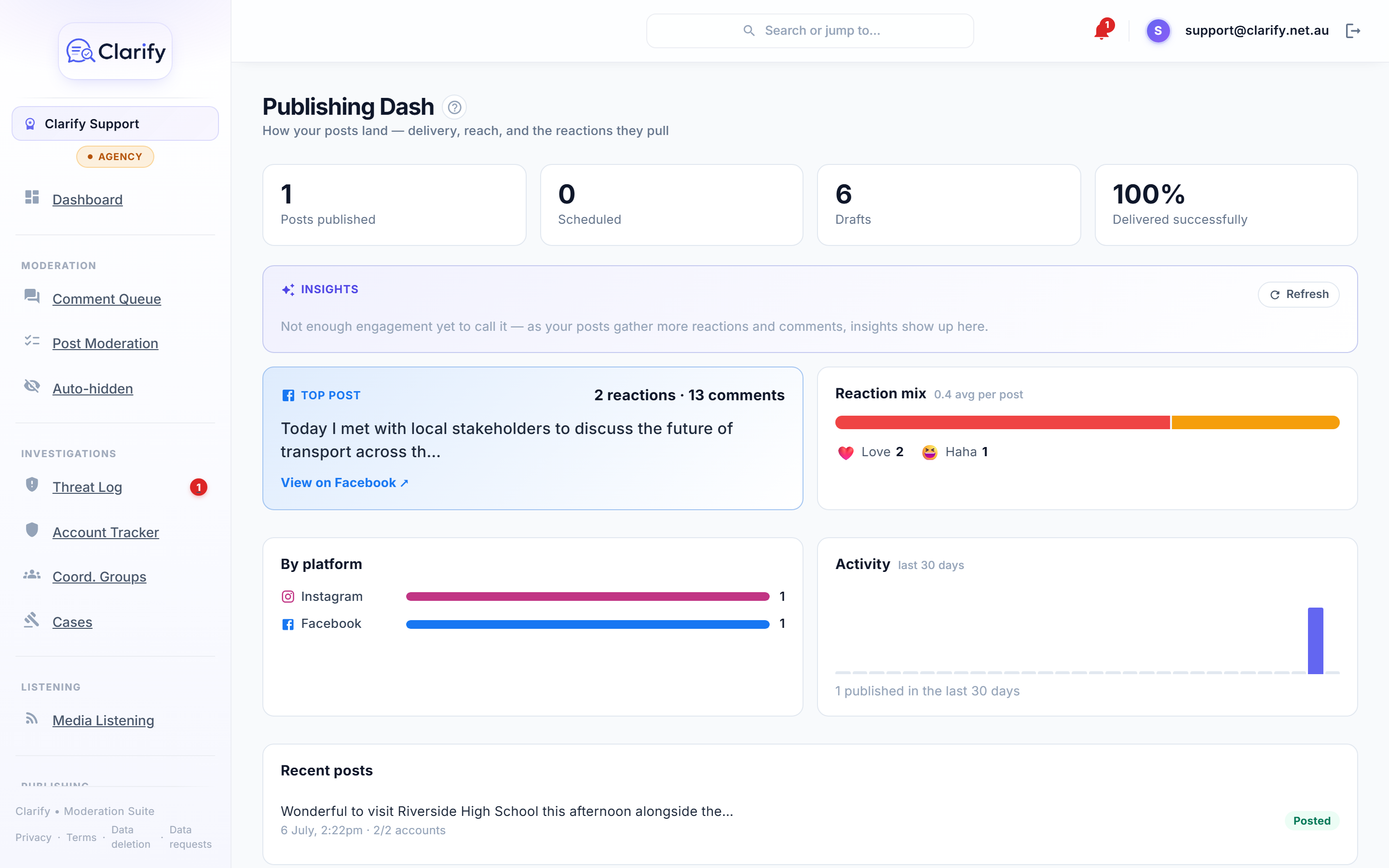
Headline cards
Across the top: how many posts are on your accounts (everything Clarify has synced, however it was posted), what's Scheduled and saved as Drafts in Clarify, plus the share of Clarify's own sends that Delivered successfully. If any deliveries failed, the count is shown so you can follow up.
Insights
The Insights panel is a short, plain-English read written by AI, refreshed once a day. It tells you which post topics are landing well and which are worth watching, with concrete suggestions. It is careful to separate two different things: posts that are genuinely not connecting (where the advice is about your message), and posts that simply attracted bad-faith pile-ons (where the advice is about moderation, never about posting less on the topic). Click Refresh to regenerate it.
Engagement
- Top post. Your best-performing post, ranked on reactions and comments combined, with both numbers shown.
- Reaction mix. The breakdown of reactions across your posts (the six Facebook reactions), with an average per post.
- More top posts. The rest of your best performers, each showing its reactions and comments.
Reactions and comments both come from every synced post. Reactions are fullest on Facebook; Instagram contributes likes.
Delivery and activity
- By platform. How many posts were delivered to each connected platform, and any that failed.
- Activity. A 30-day bar chart of how many posts landed on your accounts each day, posted from anywhere, not just Clarify.
- Recent posts. Your latest posts across all connected accounts, with a "via Clarify" badge on the ones sent through the scheduler and a link to each post.
Digital cards
If your workspace has any digital cards, a roll-up shows their total views, link clicks, and saved contacts, with a link to manage them.
Where the numbers come from
Clarify reads this data from the posts and reactions it already syncs, so there is nothing extra to turn on. To get a fuller picture, make sure reaction analysis is enabled in Settings > AI.
Still stuck? Contact support · Suggest a feature